


Free AI Thank You Card Generator
Generate thank you cards that feel personal even when you're sending a hundred.




Browse Through More Thank You Card Templates




Popular AI Design Generators


Sample Prompts You Can Modify and Use
“As a couple writing to a close friend who flew in from another country to attend the wedding, write a thank you card that acknowledges the sacrifice of the trip, references a specific moment from the day, and ends with a promise to visit them soon, under 75 words.”
“We have 40 thank you cards to write and a newborn. Write a baby shower thank you card that feels personal enough that nobody suspects it wasn't written at 2am with a baby on my chest, under 50 words.”
“We just wrapped a 6-month campaign with a client who trusted us with their biggest product launch of the year. Write a thank you card that feels like the end of something worth celebrating and not a corporate sign-off, in 2–3 sentences.”
“As a patient writing to a specialist who provided exceptional care during a difficult diagnosis, write a thank you card that acknowledges their professionalism, references a specific moment of kindness, and closes with genuine gratitude without being overly sentimental, under 75 words.”
How to Create a Thank You Card Using AI
Step 1
Describe Your Thank You Card in Venngage's Prompt Field
Type the occasion, recipient, tone, and any specific details that make the card feel personal — the gift received, the specific act of kindness, or the relationship with the recipient. The more specific the prompt, the more genuine and personal the finished thank you card will feel.
Step 2
Generate Your Thank You Card Message and Design
Click generate and Venngage's AI produces a complete thank you card with its message, layout, color palette, and typography matched to the occasion instantly. A wedding thank you card will feel warm, a business thank you card professional and sincere, and a bulk thank you card genuine without sounding like a template.
Step 3
Refine Your Message Using Venngage's AI Writing Assistant
Use the AI Writing Assistant to rewrite a line, adjust the tone, or make the card sound more personal without starting over. Type make this sound less formal, add a specific detail about the gift, or make this warmer and the change applies instantly.
Step 4
Enhance Your Design Using Venngage's AI Tools
Use the AI Designer to refine the card layout, adjust typography, and update colors to match the occasion. Use the AI Icon Generator to add illustrated details — floral motifs for wedding thank you cards, baby-themed icons for shower notes, or clean minimal details for professional business thank you cards.
Step 5
Export and Send Your Thank You Card From Venngage
Download your finished thank you card as a printable PDF for physical sending, export as a PNG for digital sharing, or share instantly via a private Venngage link as a digital thank you card ready to send via email or messaging app.
Send Wedding Thank You Cards as a Newlywed
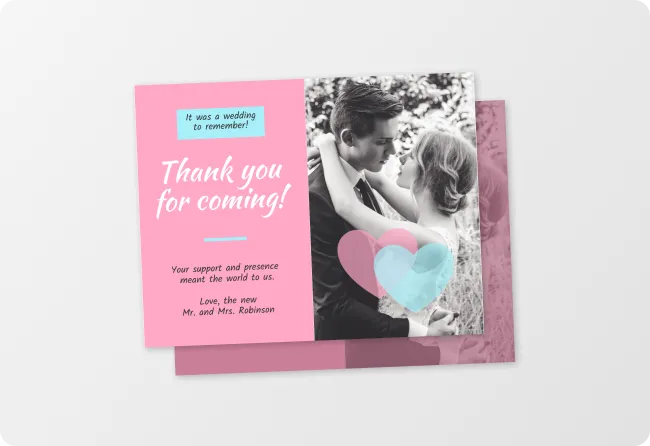
The wedding is over. The gifts are stacked. The thank you cards have been sitting on the kitchen table for two weeks. Venngage's AI Thank You Card Generator takes the part that's actually hard — finding something real to say to 150 different people — and handles it in seconds.
Type the guest's name, what they gave, and one specific thing about them, and get a wedding thank you card that sounds like you wrote it the morning after the best day of your life. Download as a printable PDF, send as a digital card, or share via a private Venngage link and get through the stack before the first anniversary.
Generate Thank You Cards