


Free AI Rubric Generator
The rubric that took an hour now takes seconds.
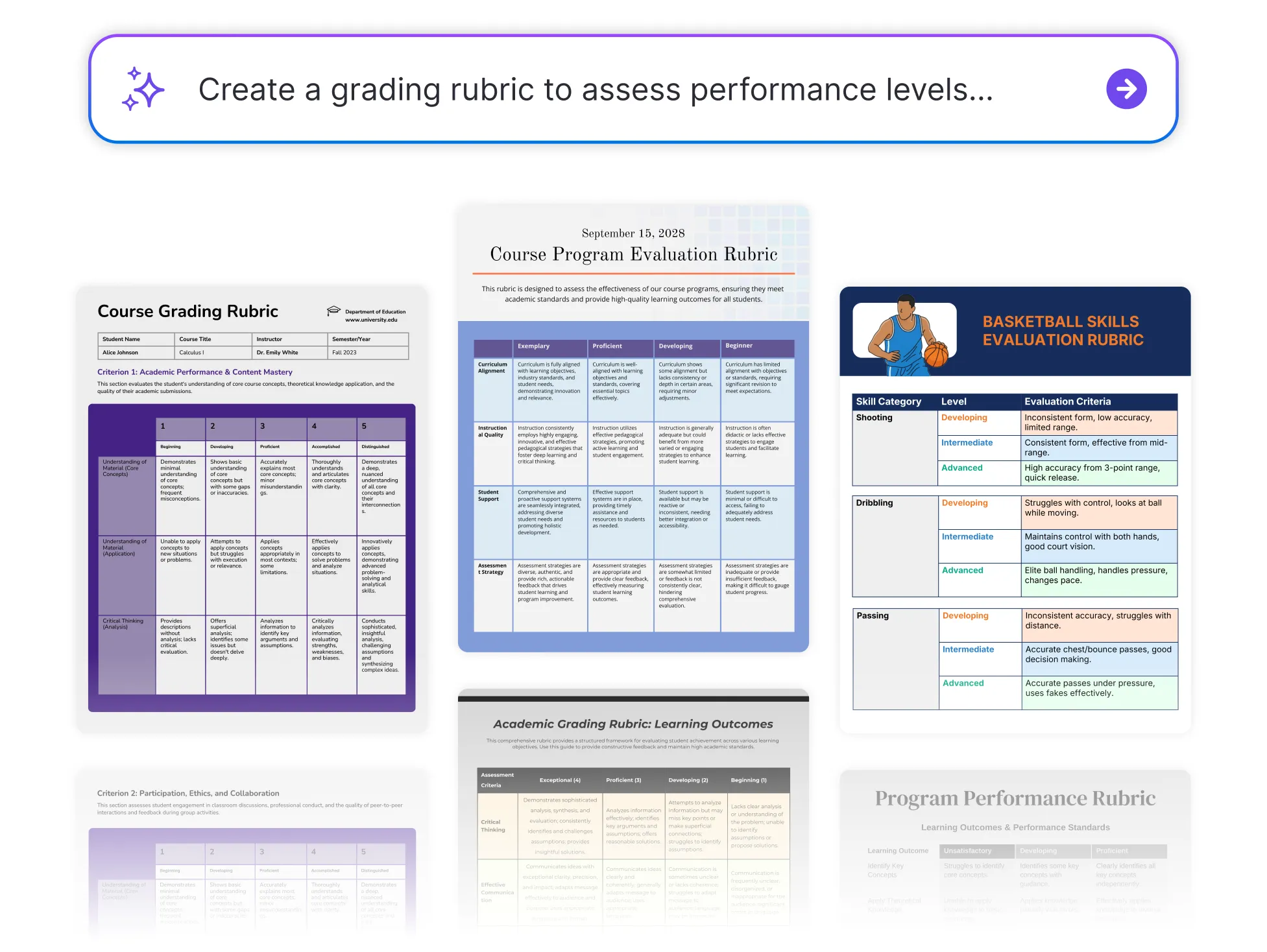




Popular AI Design Generators

Sample Prompts You Can Modify and Use
“Create a Year 9 basketball skills rubric covering passing, defensive positioning, offensive movement, teamwork, and rules knowledge. ”
“My Year 10 students submit their persuasive essays next Friday. Build a grading rubric with four performance levels covering argument structure, evidence, tone, and accuracy. Students need to read it before starting, not after getting their grade back.”
“Build a 5-level rubric for a Year 8 science investigation. Criteria: hypothesis, methodology, data collection, analysis, conclusion. Make the analysis descriptors specific enough that students know what depth is expected at each level.”
“Generate a 4-level rubric for a university group project that assesses individual contribution and group output separately. Criteria: research quality, analysis, presentation, teamwork, individual contribution. Include a peer assessment section at the bottom.”
How to Create Rubrics Using AI
Step 1
Describe Your Assignment in Venngage's AI Rubric Generator
Type the assignment type, subject, grade level, grading criteria, and number of performance levels. The more specific the description, the more targeted the finished rubric.
Step 2
Generate Your Grading Rubric
Click generate and Venngage's AI Rubric Generator produces a complete grading rubric — criteria, performance levels, and descriptors — ready to use instantly. An essay rubric covers argument, evidence, and accuracy while a presentation rubric covers delivery and content.
Step 3
Refine Using Venngage's AI Writing Assistant
Use the AI Writing Assistant to rewrite a descriptor, adjust language for a younger audience, or add a criterion weighting without rebuilding the rubric. Use prompts like [Make the analysis descriptor more specific or rewrite for Year 5 students] and the change applies instantly.
Step 4
Design Using Venngage's AI Designer
Use the AI Designer to add color coding by performance level, resize columns, and update typography until the rubric is clear and easy for students to navigate. Use the drag-and-drop editor to move criteria and format the rubric for print or digital distribution.
Step 5
Export and Share From Venngage
Download as a printable PDF to attach to the assignment brief or share via a private Venngage link for digital access. Use the Brand Kit to apply consistent fonts and colors across every rubric for every subject and year group.
Create Grading Rubrics for Any Assignment as a Teacher
Stop marking essays against criteria that were never written down. Describe the assignment, subject, and year group and Venngage's AI Rubric Generator produces a complete grading rubric with specific descriptors before a single student starts writing.
Use the AI Writing Assistant to adjust language for different age groups, then download as a printable PDF or share via link before the assignment goes out.
Generate Rubrics